No products in the cart.
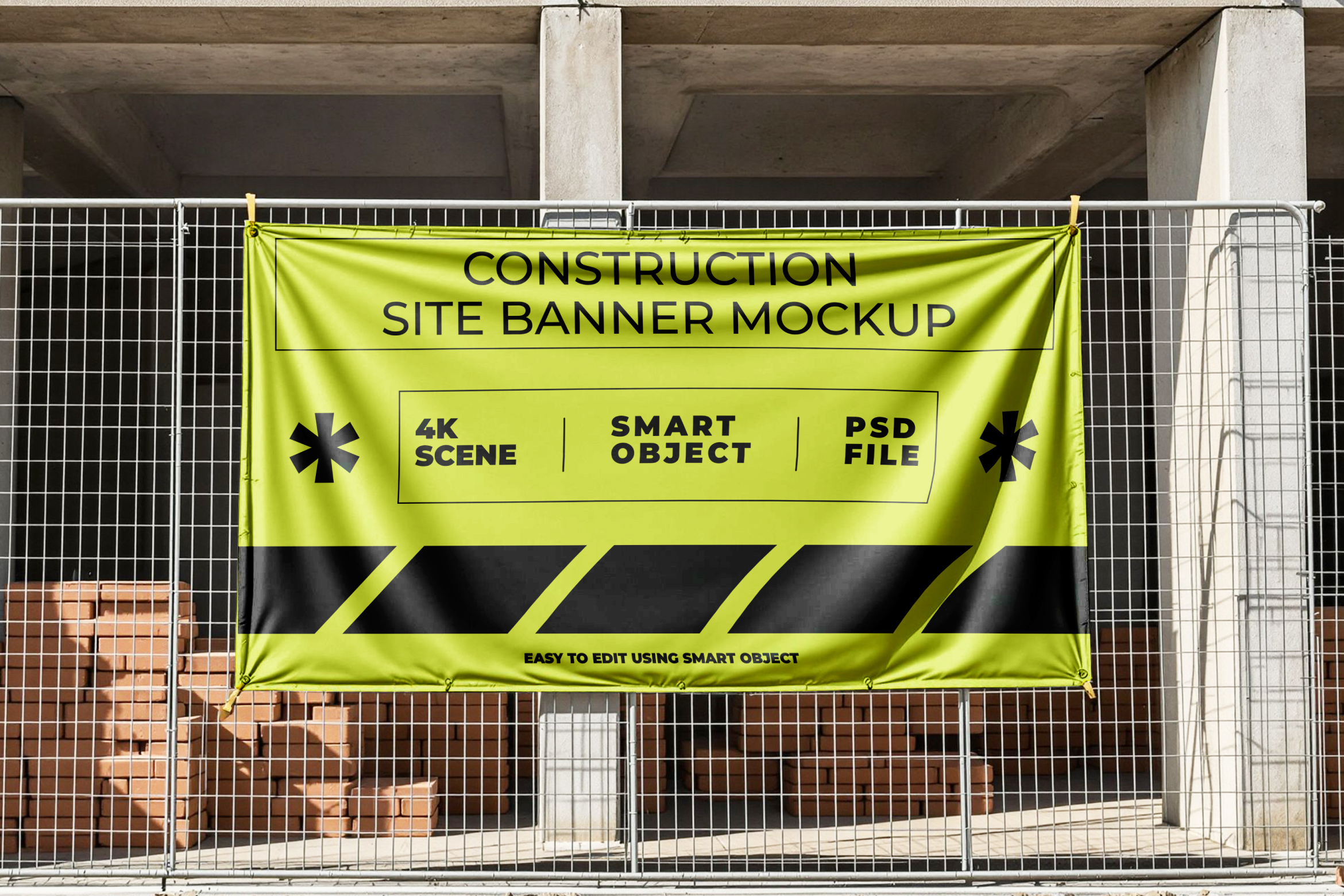
When it comes to presenting outdoor or construction branding, context is everything. A flat design on a white background doesn’t show clients how your banner will truly look once printed and installed. That’s why realistic mockups are so important — they bridge the gap between imagination and real-world presentation.
The Construction Site Banner Mockup by LuxyVoo was created with that exact purpose in mind. Designed for professional designers, agencies, and visual artists, this mockup helps you showcase your banner designs as if they were already installed at an actual construction site. It’s clean, photo-realistic, and easy to use — a perfect blend of realism and efficiency.
Designed for Realism and Impact
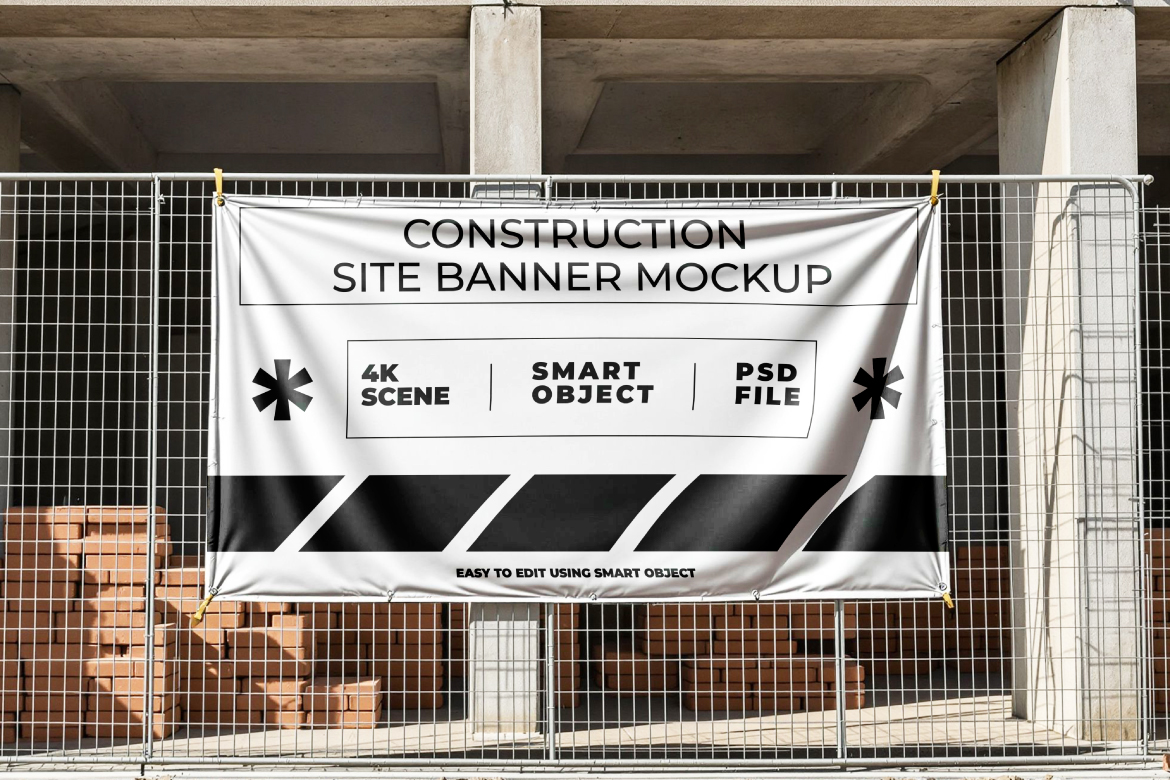
What makes this mockup stand out is its authenticity. The scene captures a genuine construction-site atmosphere — from the metal fences and dusty textures to the natural lighting and soft shadows. Your banner design blends seamlessly into this environment, giving it a sense of weight, scale, and realism that impresses clients immediately.
Instead of spending hours creating 3D renders or arranging on-site photoshoots, you can simply drop your artwork into the smart object, and the mockup automatically applies realistic lighting, perspective, and surface details. The end result looks like a professional product photo.
It’s ideal for:
- Construction or real estate branding presentations
- Outdoor signage and safety message design previews
- Pitch decks for architecture firms or developers
- Portfolio showcases for freelance designers
Key Features
The Construction Site Banner Mockup includes all the essential features professionals expect from a premium design asset:
- High Resolution (4000×3000 px or higher) – Perfect for large-scale presentations or print portfolios.
- Realistic Lighting and Textures – Natural daylight, realistic fabric folds, and environmental shadows.
- Editable Smart Objects – Replace your design with just one double-click. No need for manual adjustments.
- Authentic Materials – Simulates the texture of vinyl or mesh banners used on actual construction sites.
- Organized PSD Layers – Clean layer naming makes editing intuitive and efficient.
- Ready for Commercial Use – Fully licensed and optimized for both personal and client projects.
How to Use It
Even if you’re not a Photoshop expert, this mockup is beginner-friendly:
- Open the
.PSDfile in Adobe Photoshop. - Locate the Smart Object layer (usually named “Your Design Here”).
- Double-click it, paste your banner design, and save.
- Once you return to the main file, your artwork will automatically appear in the construction scene — perfectly scaled and lit.
- Adjust brightness, contrast, or background layers if needed.
- Export your final image in JPEG or PNG for use in presentations, client proposals, or online portfolios.
Within minutes, you’ll have a realistic, professional banner visualization — without any extra rendering or photo editing.
Why It Works So Well
Clients respond to visuals. When they see your design already “installed” in the real world, they instantly understand its potential. This mockup doesn’t just show your design — it sells your idea.
Imagine presenting a construction company’s branding or a safety campaign using a realistic banner photo instead of a flat design. It builds trust and helps the client picture the final product in their actual work environment.
This level of visual storytelling gives you a serious edge over other designers who rely only on flat previews. It communicates not just your technical skills, but also your ability to visualize how design interacts with space and materials.
Perfect for a Range of Projects
The versatility of this mockup makes it useful across multiple design niches:
- Construction & Real Estate – Show off branding for project fences, development announcements, or contractor signage.
- Corporate Marketing – Present promotional banners for outdoor campaigns or large-scale events.
- Public Safety Signage – Visualize safety instructions, hazard warnings, or site management signage.
- Architectural Firms – Use it to display on-site branding for concept proposals or visual presentations.
No matter what kind of project you’re working on, this mockup makes your design look professional, believable, and ready for real-world use.
Tips for a Professional Result
- Match the tone of your design to the environment. Use strong typography and high-contrast colors so your banner stands out against the construction background.
- Experiment with overlays. Slight adjustments in brightness or warmth can make your design blend perfectly with the lighting.
- Add branding elements. Incorporate logos, QR codes, or contractor info to make the presentation more realistic.
- Show multiple variations. Try exporting both close-up and wide shots — it gives your portfolio more depth.
The mockup gives you the technical framework; your creativity completes the story.
Final Thoughts
The Construction Site Banner Mockup isn’t just a design template — it’s a storytelling tool for professionals who care about quality presentation. It allows your ideas to live in a believable, real-world setting, helping clients see the full impact of your design.
Whether you’re creating a pitch for a construction firm, building a portfolio piece, or selling your own mockups, this file saves hours of work while maintaining a polished, high-end finish.
Realistic. Practical. Professional. That’s what makes this mockup a must-have for every modern designer’s toolkit.